


 버전
버전 업데이트 시간
 카테고리
카테고리 크기
크기 다운로드(606.78KB)
 1.0
1.0
 2.46MB
Swarachakra is a logically ordered keyboard, found to be easy to use for newbies
মোদের গরব, মোদের আশা, আ-মরি বাংলা ভাষা - অতুলপ্রসাদ সেন
If your device can display this sentence in Bengali perfectly, then your device supports Bengali and Swarachakra should also work well. If you do not see any text, or if some of the words are incorrect, Swarachakra may not work well.
Swarachakra Bangla (স্বরচক্র বাংলা) is a touch-screen keyboard for inputting text in Bengali. (Swarachakra is also available in Hindi, Marathi, Gujarati, Telugu, Kannada, Malayalam, Odia, Punjabi, Konkani and Tamil). Swarachakra uses a logically ordered design based on the structure of Bangla script. 방글라 스크립트의 논리적 구조에 따라 시퀀싱 된 자음을 보여줍니다.
Typing with Swarachakra
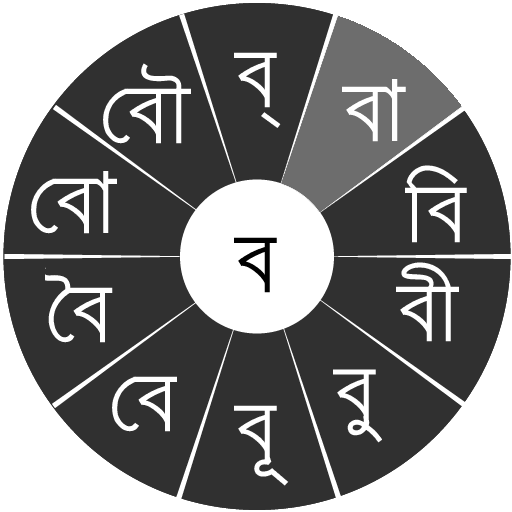
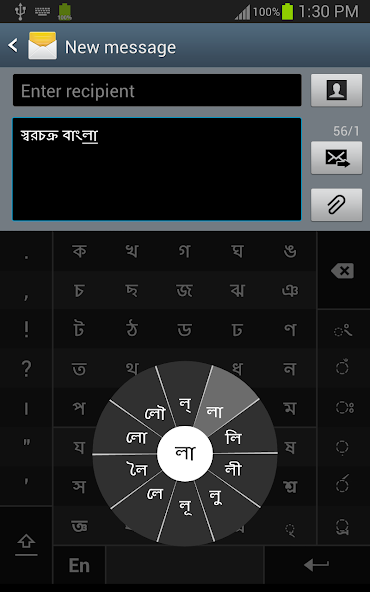
In Bangla, we frequently need to type a combination of a consonant ( ধ ) and a matra ( ো ) like ধ + ো = ধো . 자음을 만질 때 자음과 10 개의 빈번한 마트라가 튀어 나오는 차크라가 팝업됩니다 ( ধা, ধি, ধী, ধু, ধূ, ধে, ধৈ, ধো, ধৌ .. ). The chakra gives a preview of the possible character combinations. To select a combination, you slide the stylus or finger towards it.
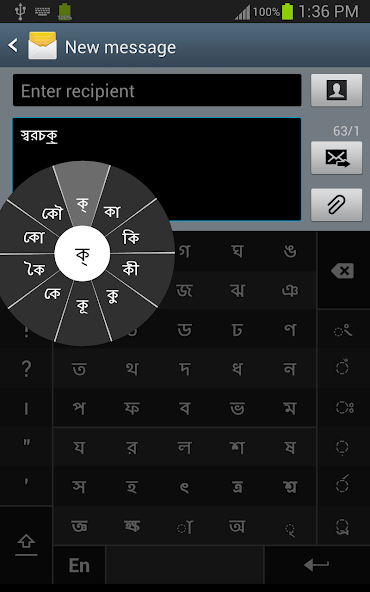
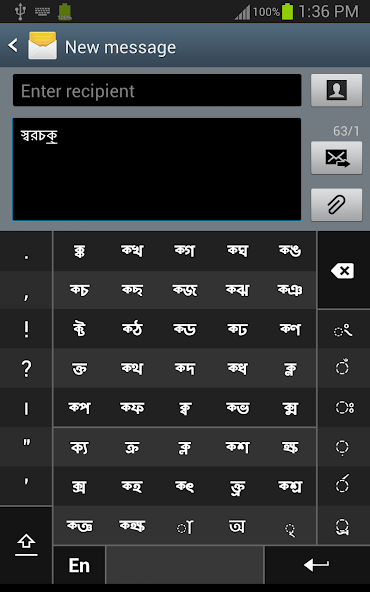
Typing conjuncts like ক্রি , ষ্থ, চ্য় is particularly hard for most people. Swarachakra makes it easy. First tap on the first part of the combination and select the halant from the chakra ( স + ् ). 그런 다음 Swarachakra는 그 자음으로 시작하는 모든 가능한 결합의 미리보기를 보여줍니다 ( স + ् + থ = স্থ ; চ + ् + য় = চ্য় 등). MATRA를 추가 해야하는 경우 이전과 같은 새 차크라에서 선택하십시오 ( স্থা, স্থি, স্থী, স্থু, স্থূ ... ).
A B> rafar ( র্থ ), rashtrachinha (ত্র) 또는 nukta (ড়, খ়)를 입력하려면 먼저 오른쪽 바닥 키에서 해당 키를 선택한 다음 평소와 같이 입력하십시오.
Complete vowels ( অ আ ই ঈ উ ঊ এ ঐ ও ঔ ) appear in a separate chakra on the bottom right. The less used vowels and matras are next to it ( ঽ ৎ ৃ ঋৄ ৄ ৠ ৢ ঌ ৣ ৡ ). Numerals, symbols and rarely used characters appear on a shift. You could also switch to the QWERTY keypad temporarily to input English characters.
Installing Swarachakra
First, install Swarachakra Bangla by clicking the “Install” button above.
Next, you need to “enable” the keyboard. "설정"을 활성화하려면 "언어 및 입력"을 선택하고 "키보드 및 입력 메소드"섹션에서 স্বরচক্র বাংলা (Swarachakra Bangla) 앞의 상자를 확인하십시오.
마지막으로 "키보드 및 입력 메소드"섹션에서 "기본"옵션을 클릭하고 기본 키보드로 স্বরচক্র বাংলা (Swarachakra Bangla)를 선택하십시오. (Sorry, but that's how Android works)
NOTE: Swarachakra is designed for Android 4.0 (ICS) onwards. It does not work right now on older versions because they do not have Unicode support.
 사용자도 본 항목
모두 보기
사용자도 본 항목
모두 보기
updated

updated
updated
updated
updated

updated

updated
updated
updated
updated
updated
updated
 인기 게임
모두 보기
인기 게임
모두 보기
updated
updated

updated
updated

updated
updated
updated

updated
updated

updated

updated
updated