


 バージョン
バージョン 更新日時
更新日時 カテゴリ
カテゴリ サイズ
サイズ ダウンロード(2.17MB)
 4.4
4.4
 93.2MB
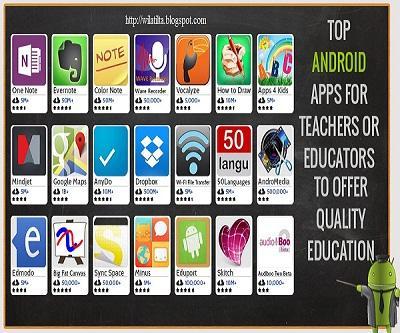
いくつかの簡単なステップでのGoogle Play for Educationプログラム
参加する手順
________________________________________
1.出版社アカウントに登録します
2。アプリを準備します
3.アプリを公開します
4。関連リソース
Google Play for EducationでAndroidアプリを公開するには、Google Playでの公開の開始に関する情報を確認してください。開発者コンソールにアクセスし、詳細、アプリ、および支払いを管理できます。
アプリを公開します
________________________________________
デザイン、構築、テストしたら、アプリを公開するために2つの手順を実行します。
•アプリをオプトインする前に、 Google Play for Educationに同意します。補遺を完全に確認し、アプリに必要な変更を加えてください。
•アプリを開発者コンソール(Androidアプリ用)またはChrome Webストア(Chromeアプリ用)で通常どおり公開しますが、 Google Play for Educationにオプトインします。


 ユーザーはこちらも見ています
すべて表示
ユーザーはこちらも見ています
すべて表示
updated

updated
updated

updated

updated
updated
updated

updated

updated
updated

updated
updated
 人気のゲーム
すべて表示
人気のゲーム
すべて表示
updated
updated

updated

updated

updated
updated

updated

updated

updated

updated

updated

updated